


Paying for hosting, a domain or a server should be a straightforward part of your day. We have improved card payments in the DCX client area, including card selection, payment confirmation and the information you see before and after paying.
You will notice the changes on your invoice, but much of the work happens behind the scenes. We have connected the payment experience with transaction checks, saved-card management and rules for automatic renewals.
Saved cards mean less typing next time
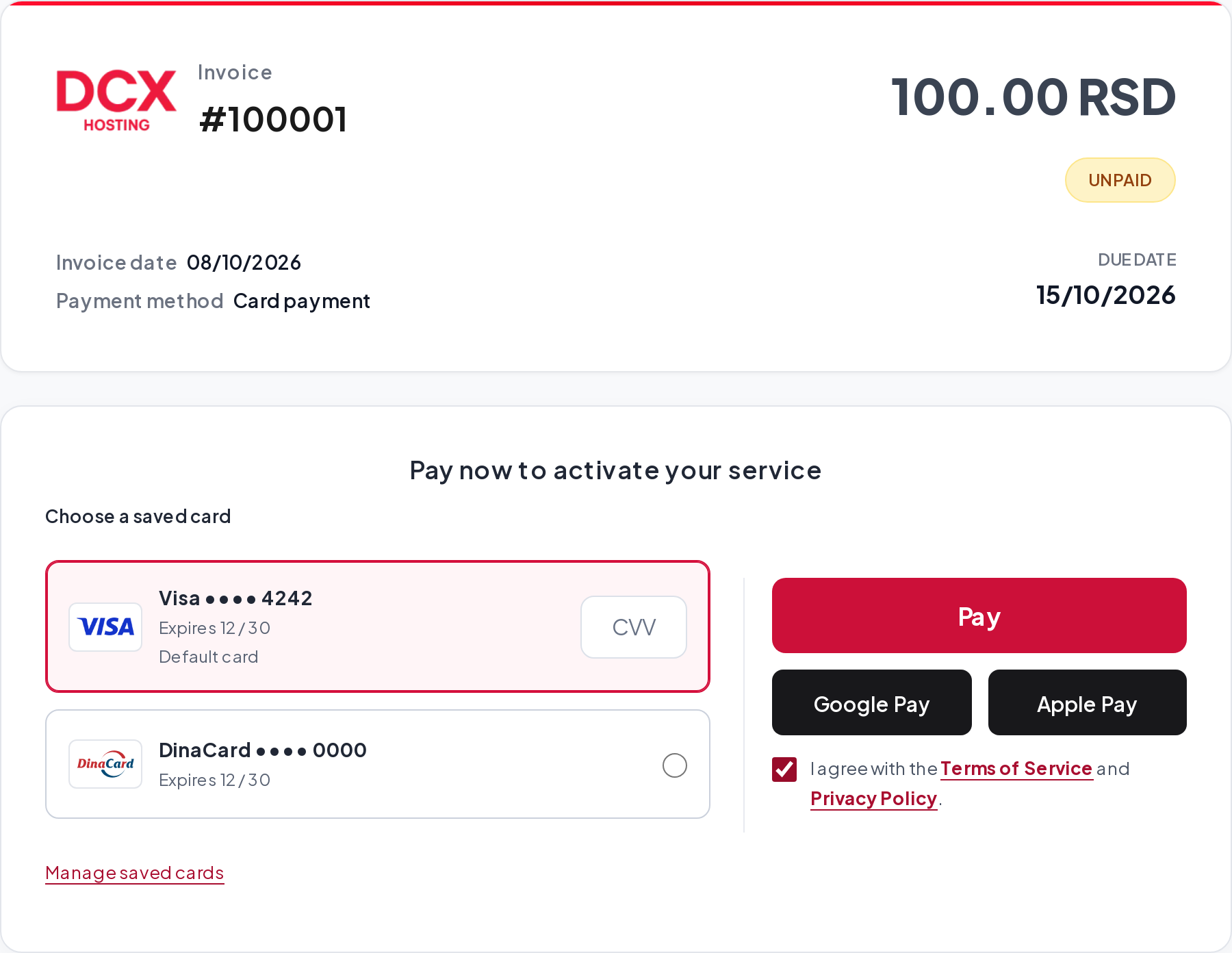
When you pay, you can choose to save your card for future use. Once saving is complete, you can identify it by its name, last digits and expiry date. If you have several cards, choose the one you want to use.
Saving a card is optional. You can pay with a new card without saving it, and manage saved cards from your account.
What we actually store
Our saved-card records contain an identifier issued by the payment processor, known as a token, and details that help you recognise the card. We do not store its full number or CVV in those records.
Tokenisation lets us link a future payment to the card held by the processor. PCI DSS prohibits retaining a CVV after authorisation, including storing it for future payments. Read the PCI Security Standards Council explanation.
Bank confirmation when required
We have introduced a 3D Secure flow for payments you initiate with a saved card, with a separate arrangement for supported DinaCard cards during their system’s transition. Your bank may ask you to confirm a payment in its app or through another supported authentication method.
The additional confirmation step is not the same for every card or transaction. Automatic service renewals also follow a different process from a payment you start on an invoice.
An additional check for new orders
Alongside bank checks, we use FraudLabs Pro to assess risk when receiving new orders. This additional layer helps us identify suspicious orders and reduce the risk of abuse. Order screening complements bank authorisation and 3D Secure authentication where supported. Read about order screening with FraudLabs Pro.
A clearer amount and payment status
We process card payments in Serbian dinars. If your invoice is in another currency, we show the RSD amount and conversion information before you pay. You can see the amount we will submit to the bank.
After payment, we check the processor’s confirmation. Returning to a DCX page is not, by itself, proof of a successful payment. If the confirmation is still passing between systems, we show that verification is in progress. Please do not start another payment while that check is running.
Automatic renewals are linked to previously paid invoices for the specific service. Having a saved card on your account does not automatically authorise payment for every new order.
Practical improvements we use ourselves
Developing this integration also meant examining situations that are easy to overlook: returning after a cancellation, a delayed bank confirmation, an exchange-rate change and differences between cards. Our aim is to give you a clear explanation and a useful next step in each situation.
For more detail, read How card payments work at DCX. We explain the particular challenge with domestic cards in our DinaCard update.
Need card payments on your own website?
We develop and adapt card-payment integrations, including WHMCS integration, saved cards, payment confirmations and the customer checkout experience. We apply what we learn from running our own payment system to our clients’ projects.
Request a demonstration and arrange an integration test. Tell us which platform you use and what you would like your customers to be able to do.